> ## Documentation Index
> Fetch the complete documentation index at: https://docs.coralos.ai/llms.txt
> Use this file to discover all available pages before exploring further.
# Coral Console
> Coral Console is a visual interface built into Coral Server, making it easier to inspect, test, and debug agent behaviour during development.
Coral Console is accessible locally when Coral Server is running. By default, it is available at:
[http://localhost:5555/ui/console](http://localhost:5555/ui/console)
Use it to:
* View available agents in your Coral Server
* Create and manage sessions
* Trigger test prompts and inspect agent responses
* Monitor real-time logs and thread history
It is built into Coral Server. Coral Console simply makes it easier to prototype and debug agent behaviour during development.
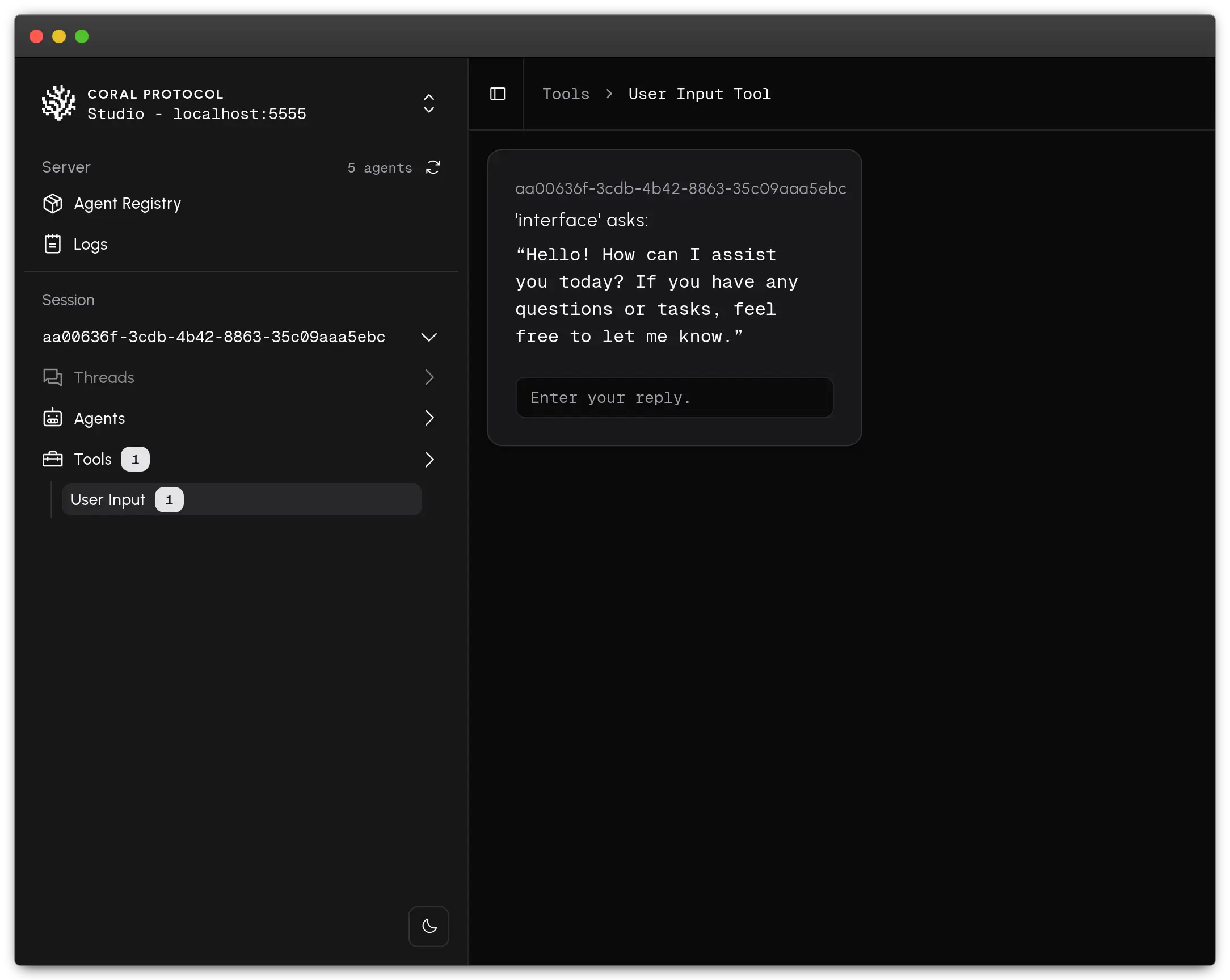 ### What can you do with Coral Console?
Use Coral Console to configure and launch sessions on Coral Server with
selected agents
* Send messages between agents in shared threads to coordinate behaviour
* Inspect agent-to-agent messages in threaded conversations
Coral Console displays the real-time status of every agent:
1. Disconnected (not connected, and not orchestrated)
2. Connecting (was part of an agent graph and waiting for connection)
3. Listening (connected and waiting for mention)
4. Busy (connected but not waiting for mention)
5. Dead (process exited)
This helps devs monitor which agents are online and responsive during execution and spot issues instantly.
### What can you do with Coral Console?
Use Coral Console to configure and launch sessions on Coral Server with
selected agents
* Send messages between agents in shared threads to coordinate behaviour
* Inspect agent-to-agent messages in threaded conversations
Coral Console displays the real-time status of every agent:
1. Disconnected (not connected, and not orchestrated)
2. Connecting (was part of an agent graph and waiting for connection)
3. Listening (connected and waiting for mention)
4. Busy (connected but not waiting for mention)
5. Dead (process exited)
This helps devs monitor which agents are online and responsive during execution and spot issues instantly.
.png?fit=max&auto=format&n=RpvWwkf3rBTyAtaX&q=85&s=0f242e72365c31aba9562234983891a4) ### What a Real Interaction Looks Like?
### What a Real Interaction Looks Like?
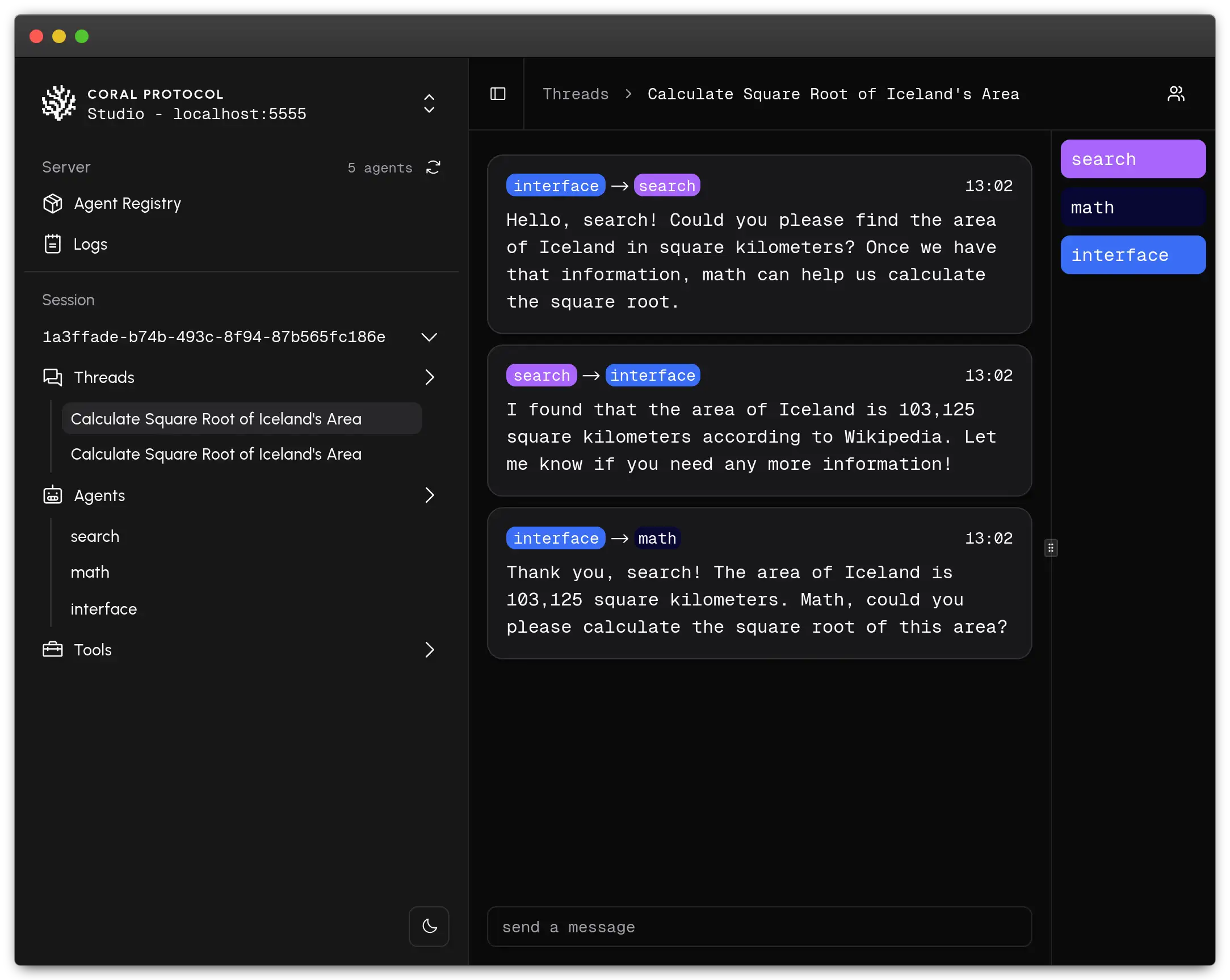 Here's a real example of how agents collaborate inside a session.
The user asks a question → Interface agent routes the task → Search and Math agents respond → All activity is logged in real time.
This would clarify what Coral Console helps you observe.
### Key Components
View agents available in your Coral Server
Every task lives in a **Communication Thread** a persistent conversation
across agents
Add OpenAI keys, choose agents, and define capabilities
Attach input tools or test agent prompts from the UI
Real-time logs from running agents
> Agents run independently and only respond when triggered. Coral Console visualises message flow and thread activity powered by Coral Server.
### Who is it for ?
* Developers building, testing and debugging Coral Agents
* Framework creators testing Coral compatibility
* Researchers and tinkerers exploring multi-agent design
### How it fits in your workflow?
Coral Console helps during the prototyping and debugging phase. You don’t need to write custom coordination logic or scripts; just define your agents, wire them together, and test the interaction in real-time.
### Get Started
Coral Console is enabled by default in Coral Server. Once the server is running, simply visit:
[http://localhost:5555/ui/console](http://localhost:5555/ui/console)
For more details on server configuration, check the [Coral Server README](https://github.com/Coral-Protocol/coral-server).
Here's a real example of how agents collaborate inside a session.
The user asks a question → Interface agent routes the task → Search and Math agents respond → All activity is logged in real time.
This would clarify what Coral Console helps you observe.
### Key Components
View agents available in your Coral Server
Every task lives in a **Communication Thread** a persistent conversation
across agents
Add OpenAI keys, choose agents, and define capabilities
Attach input tools or test agent prompts from the UI
Real-time logs from running agents
> Agents run independently and only respond when triggered. Coral Console visualises message flow and thread activity powered by Coral Server.
### Who is it for ?
* Developers building, testing and debugging Coral Agents
* Framework creators testing Coral compatibility
* Researchers and tinkerers exploring multi-agent design
### How it fits in your workflow?
Coral Console helps during the prototyping and debugging phase. You don’t need to write custom coordination logic or scripts; just define your agents, wire them together, and test the interaction in real-time.
### Get Started
Coral Console is enabled by default in Coral Server. Once the server is running, simply visit:
[http://localhost:5555/ui/console](http://localhost:5555/ui/console)
For more details on server configuration, check the [Coral Server README](https://github.com/Coral-Protocol/coral-server).